
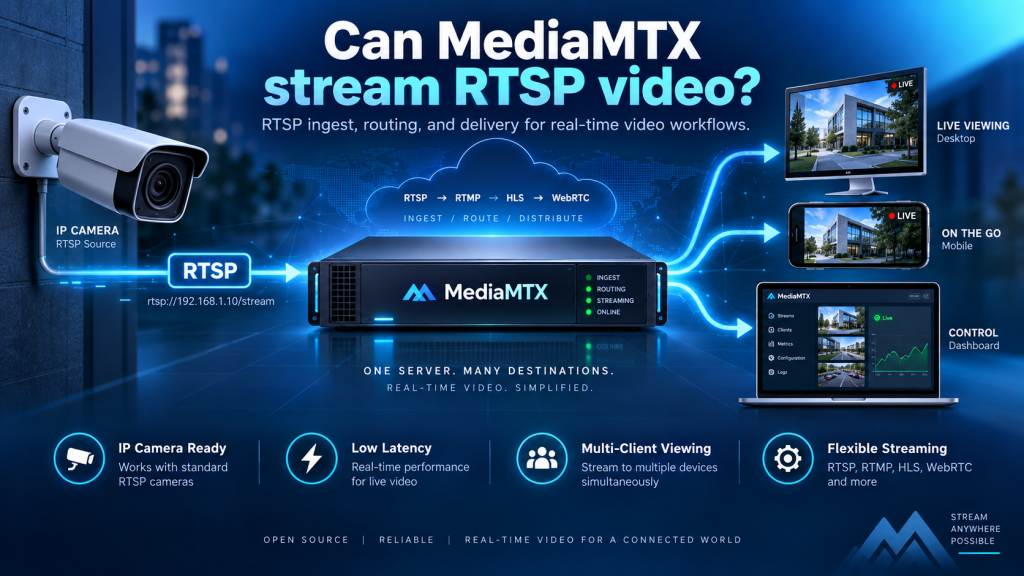
MediaMTX is a useful keyword for anyone researching whether MediaMTX can stream RTSP video. The answer is yes. MediaMTX provides strong RTSP support and can work as both a server and a client, allowing users to publish, receive, proxy, and distribute real-time video streams.
This makes MediaMTX especially useful for IP cameras, surveillance systems, monitoring platforms, and custom video applications. It also supports multiple RTSP transport methods, authentication, encrypted connections, and a wide range of video and audio codecs, giving users flexibility for both simple and advanced streaming environments.
RTSP Support in MediaMTX at a Glance
RTSP, or Real-Time Streaming Protocol, is widely used for accessing and managing live audio and video sessions. It is particularly common in IP cameras, CCTV systems, network video recorders, and professional monitoring applications.
MediaMTX can sit between a video source and one or more viewers, providing a central point for managing RTSP streams.
| RTSP Capability | MediaMTX Support |
|---|---|
| Receive RTSP streams | Yes |
| Serve RTSP streams | Yes |
| Connect to IP cameras | Yes |
| Proxy remote RTSP sources | Yes |
| Authentication | Yes |
| Encrypted RTSPS | Yes |
| UDP transport | Yes |
| TCP transport | Yes |
| UDP multicast | Yes |
| Multi-protocol delivery | Yes, when media is compatible |
This broad support makes MediaMTX suitable for many real-time video workflows.
How RTSP Works With MediaMTX
MediaMTX organizes streams through paths. A publisher sends media to a specific path, and compatible viewers connect to the same path to access that stream.
Publishing to a Stream Path
For example, an encoder or camera may publish video to a path called:
camera1
MediaMTX receives and manages that media under the selected path. An RTSP-compatible client can then connect to the server and request the camera1 stream.
This approach gives administrators a cleaner way to organize several cameras or video feeds instead of dealing with every source independently.
MediaMTX as the Middle Layer
MediaMTX can operate between publishers and viewers. The source sends video to MediaMTX, while viewers connect to MediaMTX instead of connecting directly to the source.
This creates a centralized streaming architecture that is easier to manage, secure, and expand.
Connecting an IP Camera to MediaMTX
One of the most common uses of RTSP in MediaMTX is connecting an IP camera. Most modern surveillance cameras provide an RTSP stream that MediaMTX can use as a source.
Using a Camera as a Remote Source
MediaMTX can connect to an RTSP-enabled camera and expose its video through a MediaMTX path. This is useful when several applications need to access the same camera without connecting directly to the device.
A basic configuration can define the camera’s RTSP address as the source for a path. Authentication details may also be required when the camera is protected with a username and password.
Managing Multiple Cameras
The same MediaMTX server can organize several feeds using clear path names such as:
front_gateoffice_camerawarehouseparking_areaentrance
This makes larger camera installations easier to understand and maintain.
Publishing RTSP From Streaming Software
IP cameras are not the only sources that can publish RTSP video. MediaMTX can also work with software-based publishers used in development, broadcasting, automation, and video processing.
FFmpeg and GStreamer
FFmpeg can read video from files, webcams, capture devices, or network sources and publish the resulting stream to MediaMTX. GStreamer can perform similar tasks when developers need highly customizable media pipelines.
These tools are particularly useful when video must be resized, encoded, filtered, combined, or processed before being sent to the server.
Custom Applications
Developers can also build RTSP workflows using Python, OpenCV, or other video-processing frameworks. MediaMTX can then act as the distribution layer between the custom application and viewers.
When compatible codecs can pass through unchanged, avoiding unnecessary transcoding can help preserve quality and reduce CPU usage.
Watching RTSP Streams
Once a stream has reached MediaMTX, users can watch it through an RTSP-compatible application. The viewer normally needs the server address, RTSP port, and stream path.
Common RTSP Clients
Popular applications used for RTSP playback include:
- VLC Media Player
- FFmpeg
- GStreamer
- Surveillance software
- Video management systems
- Custom RTSP applications
These tools can connect to MediaMTX and read the available stream in real time.
Why RTSP Viewing Is Useful
RTSP viewing works particularly well on local networks where operators need quick access to security cameras or live feeds. It is also useful for developers who need to inspect video while testing encoders, networks, analytics, or computer-vision systems.
Because MediaMTX supports both RTSP publishing and reading, it can act as a central point between video producers and consumers.
Video and Audio Codec Support
MediaMTX RTSP functionality supports a broad selection of media formats, making it suitable for both common camera streams and more specialized video systems.
Supported Video Formats
Commonly supported RTSP video codecs include:
- H.264
- H.265
- AV1
- VP8
- VP9
- MPEG-4 Video
- MPEG-1/2 Video
- MJPEG
H.264 remains especially common in IP camera environments because it provides strong compatibility and efficient compression.
Supported Audio Formats
RTSP workflows can also include audio using formats such as AAC, Opus, MP3, AC-3, G711, G722, G726, and LPCM.
Codec compatibility still matters when the stream is later delivered through another protocol. A codec supported by RTSP may not necessarily be supported by every browser or playback technology.
Choosing Between UDP and TCP
RTSP can use different transport methods for carrying media. Choosing the right option can affect performance, reliability, and compatibility with firewalls or network infrastructure.
| Transport | Main Advantage | Best Use |
|---|---|---|
| UDP | Low overhead and efficient delivery | Stable local networks |
| TCP | Reliable and firewall-friendly | Remote or restricted networks |
| UDP Multicast | Efficient for many local viewers | Managed LAN environments |
The RTSP control connection normally uses TCP, while the media itself may travel through UDP, TCP, or multicast depending on the configuration.
When to Use UDP
UDP can provide efficient real-time delivery with minimal overhead. It is often suitable for controlled local networks where packet loss is low, and latency is important.
However, UDP can be more difficult to use through NAT devices and strict firewalls.
When TCP Is Better
TCP is usually easier to manage across complicated networks because media travels through a more predictable connection. It can also recover from packet loss, although retransmission may increase delay in poor network conditions.
The best choice depends on the location of the source, the viewer, and overall network quality.
Securing RTSP Streams
Security becomes especially important when MediaMTX handles surveillance feeds, internal business video, or other private streams.
Use Authentication
MediaMTX can restrict who is allowed to publish or read streams. Authentication prevents unauthorized users from simply connecting to a known RTSP address and accessing private video.
Different permissions can also be used for publishers and viewers, allowing administrators to separate who can send streams from who can watch them.
Consider Encrypted RTSPS
MediaMTX supports secure RTSP connections through RTSPS. Encryption can help protect media and credentials when traffic crosses untrusted networks.
Strong passwords, firewall rules, restricted ports, and encrypted connections should all be considered before making sensitive streams accessible beyond a trusted network.
Converting RTSP for Other Viewers
One of the biggest advantages of MediaMTX is that an RTSP source does not always need to remain RTSP all the way to the viewer.
RTSP to Browser-Friendly Delivery
A security camera may produce only RTSP, while a browser-based dashboard may require HLS or WebRTC. MediaMTX can help bridge these technologies when the underlying codecs are compatible.
This allows older or specialized cameras to work with modern web applications without requiring the camera itself to support browser-focused streaming protocols.
One Source, Multiple Consumers
A single camera feed can potentially be used by multiple applications. For example, an RTSP client may watch the original stream while another viewer accesses the same media through HLS or WebRTC.
This reduces the need to operate completely separate servers for every delivery method.
Common RTSP Use Cases
MediaMTX RTSP support can be used in many real-world environments. Its combination of camera compatibility, proxying, multi-protocol delivery, and access control makes it useful beyond basic live streaming.
| Use Case | How MediaMTX Helps |
|---|---|
| Home Security | Centralizes multiple IP cameras |
| Office Monitoring | Provides controlled access to live feeds |
| Warehouses | Routes surveillance cameras through one server |
| Computer Vision | Feeds live video to analytics applications |
| Broadcasting | Adds network video sources to workflows |
| Remote Monitoring | Proxies cameras from different locations |
| Development | Provides test streams for applications |
These use cases show why RTSP remains one of the most valuable MediaMTX capabilities.
Improving RTSP Streaming Reliability
Reliable RTSP streaming depends on more than MediaMTX alone. Camera configuration, bitrate, resolution, frame rate, codecs, network quality, firewalls, and transport settings can all affect performance.
Test Locally First
Begin by testing the stream on the same local network. Confirm that MediaMTX can reach the source and that a compatible client can read the resulting stream without errors.
Once local streaming works correctly, move on to remote access, firewall rules, port forwarding, or more advanced networking.
Monitor Performance and Logs
If playback becomes unstable, check for network congestion, high bitrates, incompatible codecs, packet loss, or incorrect transport settings.
MediaMTX logs can also help identify authentication failures, unavailable cameras, connection drops, and other streaming problems. Changing one setting at a time makes troubleshooting easier.
Choosing the Right RTSP Setup
The ideal MediaMTX configuration depends on the environment and the intended viewers.
| Requirement | Suggested Approach |
|---|---|
| Local camera network | RTSP over UDP or TCP |
| Remote camera access | RTSP over TCP with security |
| Many LAN viewers | Consider multicast |
| Browser dashboard | RTSP source with HLS/WebRTC output |
| Private surveillance | Authentication and RTSPS |
| Computer vision | RTSP with FFmpeg, GStreamer, or OpenCV |
| Multi-camera system | Separate named paths for each camera |
Using the simplest setup that meets your actual requirements usually produces the most reliable result.
Conclusion
MediaMTX provides comprehensive RTSP support for cameras, software publishers, and real-time video applications. It can receive RTSP streams, serve them to viewers, proxy remote cameras, work with different transport methods, support authentication and encryption, and handle a broad selection of video and audio codecs.
For surveillance, live monitoring, broadcasting, software development, and computer-vision projects, these capabilities make MediaMTX a flexible RTSP solution. Its ability to connect RTSP sources with technologies such as HLS and WebRTC is especially useful when one server needs to serve cameras, applications, browsers, and different types of viewers.