
MediaMTX is a useful keyword for users researching which operating systems can run MediaMTX. It is a lightweight, open-source live media server and media proxy designed to handle real-time video and audio without requiring a complicated software stack.
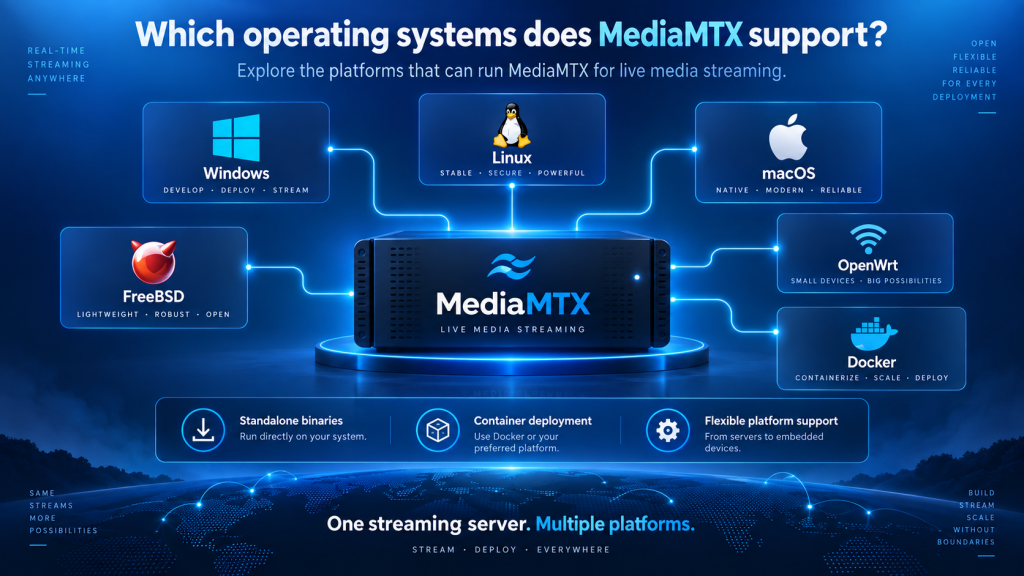
MediaMTX supports major platforms such as Windows, Linux, and macOS through standalone binaries. It can also run on FreeBSD, Arch Linux, OpenWrt, and Docker-based environments, giving developers, broadcasters, businesses, and home users several practical deployment options.
MediaMTX Operating System Support at a Glance
MediaMTX is designed to be portable, which means users are not limited to a single operating system. The best platform depends on where the server will run, the processor architecture, and whether the deployment is intended for testing or production.
| Platform | Support Type | Best Suited For |
|---|---|---|
| Windows | Standalone binary | Desktop testing and small deployments |
| Linux | Standalone binary | Servers, cloud, and production |
| macOS | Standalone binary | Development and local testing |
| Arch Linux | Package-based option | Arch-based environments |
| FreeBSD | Package/ports | BSD server infrastructure |
| OpenWrt | Binary or source build | Routers and embedded devices |
| Docker | Container deployment | Cloud and production environments |
This flexibility is one of the reasons MediaMTX can fit into both small personal projects and more advanced streaming systems.
MediaMTX Support for Windows
Windows is one of the primary operating systems supported by MediaMTX. Users can run the server using a standalone executable without installing a separate runtime, programming language, or large collection of dependencies.
When Windows Makes Sense
Windows is a practical choice for developers who want to test MediaMTX on an existing desktop or laptop. It can also work well for smaller live-streaming systems where a Windows machine is already part of the environment.
The platform is particularly convenient when MediaMTX is being tested alongside applications such as OBS Studio, FFmpeg, VLC, or other Windows-based media tools.
Running MediaMTX as a Service
For systems that need to stay online continuously, MediaMTX can be configured to run as a Windows service. This allows the server to start automatically when Windows boots instead of requiring a user to manually launch the executable every time.
This approach is useful for permanent monitoring, broadcasting, and camera-streaming environments where consistent availability is important.
Running MediaMTX on Linux
Linux is one of the strongest choices for MediaMTX, especially for production servers and cloud environments. Standalone Linux binaries are available for multiple processor architectures, giving users flexibility across traditional servers, virtual machines, mini PCs, and supported embedded devices.
Suitable Linux Environments
Popular Linux distributions such as Ubuntu and Debian can run MediaMTX through the standalone executable. This makes Linux a practical choice for cloud servers, VPS hosting, self-hosted systems, and dedicated real-time streaming infrastructure.
Linux is also widely used in environments where automation, remote administration, and efficient resource usage are important.
Automatic Startup With systemd
On Linux systems that use systemd, MediaMTX can be configured as a service. This allows the media server to start automatically when the machine boots and networking becomes available.
Running MediaMTX as a service is especially useful for always-on production environments because the server can recover after a reboot without requiring manual intervention.
MediaMTX Compatibility With macOS
MediaMTX also supports macOS, making it useful for developers, content creators, and technical users working on Mac computers. Like Windows and Linux, macOS can run MediaMTX through a standalone executable.
Intel and Apple Silicon Builds
Choosing the correct processor architecture is particularly important on macOS. Older Macs may use Intel processors, while newer models typically use Apple Silicon chips such as the M-series.
Downloading the correct build ensures that MediaMTX runs natively and avoids compatibility issues caused by selecting the wrong architecture.
Best Uses for macOS
macOS is particularly suitable for development, local testing, demonstrations, and smaller streaming environments. Developers can test their MediaMTX configuration locally before transferring it to a Linux or Docker-based production server.
Users should also review macOS security and network permissions when allowing devices outside the computer to connect to the MediaMTX server.
Using MediaMTX on Arch Linux
Arch Linux users have more than one way to run MediaMTX. In addition to using a compatible standalone Linux binary, MediaMTX can be installed through the Arch User Repository workflow.
Benefits of Package-Based Installation
Using a package-based installation can make software management more convenient for experienced Arch users. It allows MediaMTX to fit into the same package-management process used for other software on the system.
This can simplify organization, updates, and maintenance compared with manually storing the executable in a custom directory.
FreeBSD Support
MediaMTX also supports FreeBSD, making it useful for organizations and administrators who rely on BSD-based server infrastructure.
Users can install MediaMTX through supported FreeBSD package or ports methods. This gives FreeBSD environments access to the same core MediaMTX streaming capabilities without requiring a move to Linux or Windows.
FreeBSD support is particularly useful for specialized networking, server, and infrastructure deployments where BSD is already the preferred operating system.
Running MediaMTX on OpenWrt
OpenWrt support makes MediaMTX interesting for routers, embedded systems, and edge-computing projects. Compatible devices can run MediaMTX when their processor architecture matches an available Linux build.
Supported Hardware Architectures
OpenWrt devices using architectures such as AMD64, ARMv6, ARMv7, or ARM64 may be able to use the corresponding MediaMTX Linux binary. Devices based on other architectures may require the software to be compiled from source.
Because OpenWrt commonly runs on lightweight hardware, users should also consider available CPU performance, memory, storage, and network capacity before creating demanding video workflows.
MediaMTX as an OpenWrt Service
MediaMTX can be configured to start automatically as an OpenWrt service. This makes it useful for edge-streaming projects where the device needs to begin handling video after every reboot without manual intervention.
Possible use cases include camera gateways, remote monitoring systems, embedded video routers, and specialized networking projects.
Docker for Cross-Platform Deployment
Docker is not an operating system itself, but it significantly expands the environments where MediaMTX can be deployed. A containerized setup allows MediaMTX to run in a predictable environment across many Docker-compatible systems.
Why Use Docker?
Docker is particularly useful for production servers, cloud infrastructure, development teams, and automated deployments. Instead of configuring MediaMTX separately on every host, administrators can use a consistent container setup.
This makes it easier to move deployments between development, staging, and production environments while reducing differences between individual servers.
Specialized Docker Images
Different MediaMTX Docker images can also support particular workflows, including environments that need FFmpeg or Raspberry Pi camera integration.
Docker users still need to configure ports, networking, persistent storage, and configuration-file mounting correctly for their selected streaming protocols.
Processor Architecture Is Equally Important
Operating system compatibility is only one part of choosing the correct MediaMTX build. The processor architecture must also match the package you download.
For example, two computers may both run Linux, but one may use AMD64 while another uses ARM64. These systems generally require different MediaMTX binaries even though their operating system is the same.
Common architectures include:
- AMD64 / x86-64 for many desktops and servers
- ARM64 for newer ARM-based systems
- ARMv7 for various embedded devices
- ARMv6 for some older lightweight hardware
Checking both the operating system and architecture before installation helps prevent compatibility problems.
Which Platform Is Best for MediaMTX?
The best operating system depends on how you plan to use MediaMTX. There is no single platform that is ideal for every streaming environment.
Windows and macOS are convenient for desktop development and testing, while Linux is often preferred for production, cloud, and always-on servers. OpenWrt is useful for embedded networking devices, and FreeBSD is suitable for organizations already using BSD infrastructure.
Docker is often the best choice when portability, automation, container isolation, and repeatable deployment are major priorities.
| Requirement | Recommended Platform |
|---|---|
| Local testing | Windows or macOS |
| Development | Windows, macOS, or Linux |
| Cloud server | Linux or Docker |
| Production streaming | Linux or Docker |
| Embedded project | OpenWrt / ARM Linux |
| BSD infrastructure | FreeBSD |
| Automated deployment | Docker |
Choosing according to your actual project requirements is more important than simply selecting the most popular operating system.
Conclusion
MediaMTX provides broad platform compatibility, making it suitable for many different live-streaming environments. Its primary standalone support includes Windows, Linux, and macOS, while Arch Linux, FreeBSD, and OpenWrt provide additional deployment options for specialized systems.
The right platform depends on your hardware, processor architecture, technical experience, and streaming requirements. Whether you need a Windows development system, Linux production server, Mac testing environment, Docker deployment, or lightweight OpenWrt device, MediaMTX offers flexible ways to build and manage a reliable real-time media server.